Make the first view count
Choose the silhouette, orientation and key features around the approach to the stand.
 Start a project ↗
Exhibition & Showroom Models
Make a product, technology or industrial system easier to explore in an exhibition or showroom.
Discuss your model ↗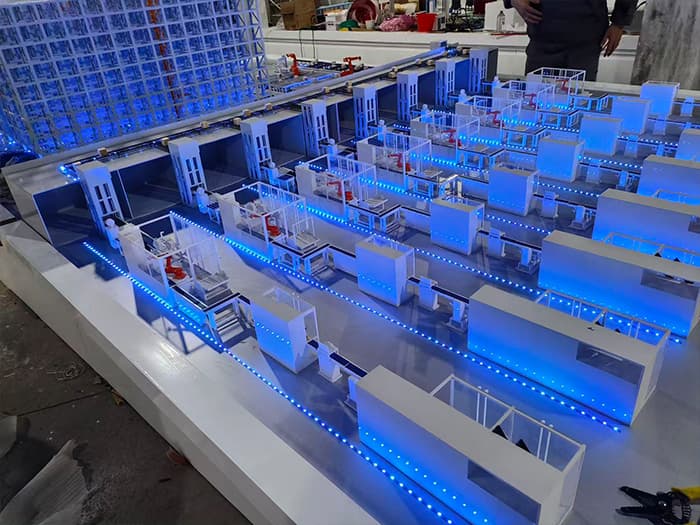
An exhibition visitor may have only a short time to understand your product. A physical display model gives the conversation a focal point: an overall view first, then the details that support your message.
Choose the silhouette, orientation and key features around the approach to the stand.
Lighting and clear labels can draw attention to a component or process.
Discuss handling, durability, transport and setup at the briefing stage.
Present equipment or systems that cannot be brought to the stand at full size.
Give guided presentations a permanent reference point.
Use a product display model to introduce form, arrangement and technical context.
The display environment sets the priorities. A product model highlights one object; an industrial system model gives an overview; a cutaway display reveals a feature that an exterior view would hide.
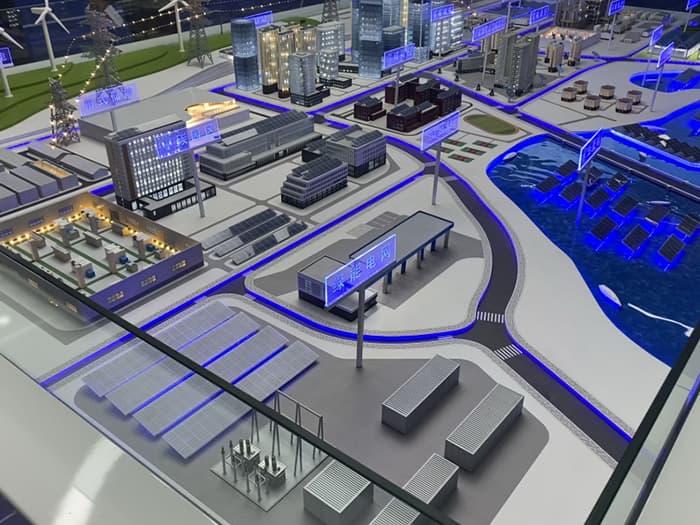
Choose the footprint to fit the booth or display furniture while leaving room for visitors and the sales team.
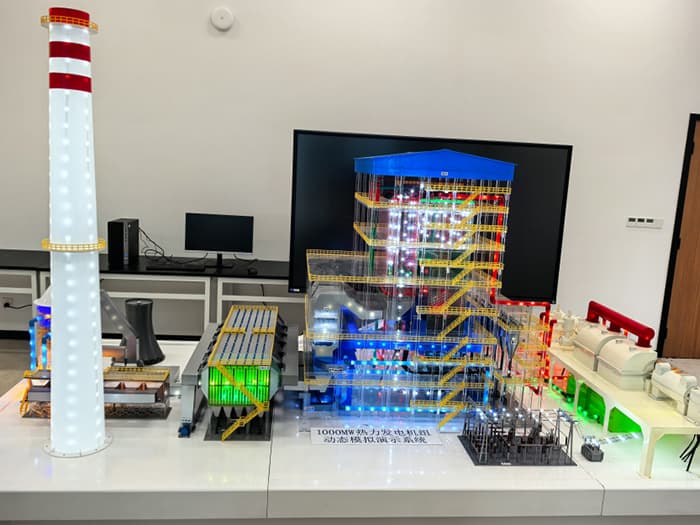
Lighting, controls or moving parts can support a presentation where the brief calls for them.
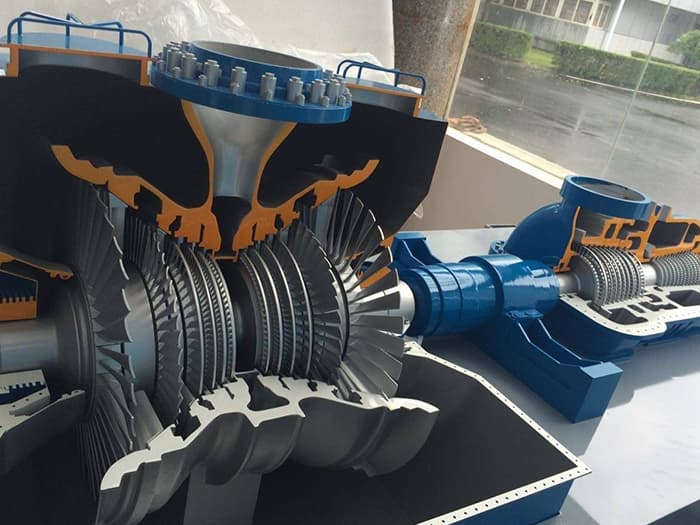
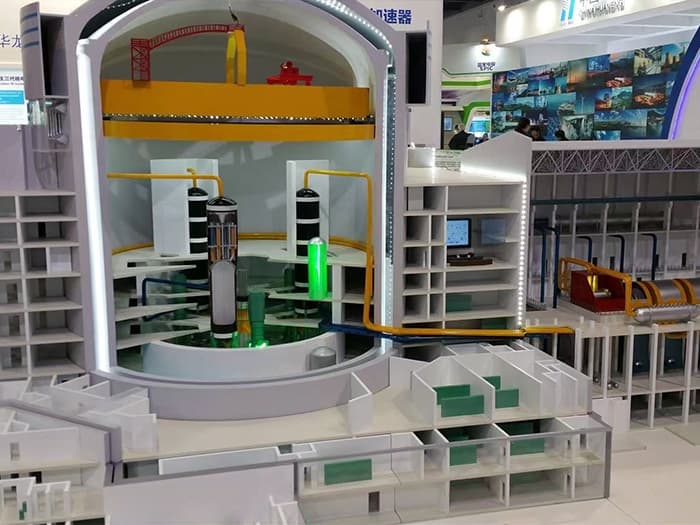
An open section can make internal engineering visible without requiring a separate explanation from drawings.
Start with the right brief: tell us where the model will be displayed and how it will reach that space. Those constraints help define a practical exhibition model before fabrication begins.
Share booth dimensions, available display footprint, viewing distance and expected audience access.
Identify the available power and venue lighting, together with setup access and who will operate the model.
Explain the transport method, packing constraints and whether the model will be used at multiple events.
RELATED PROJECTS / MODEL PHOTOGRAPHY
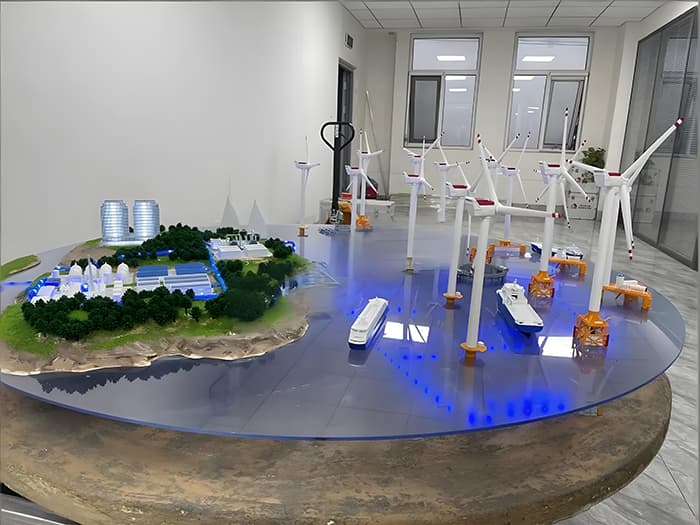
Share the subject, event or display setting, available footprint, reference files, target date and delivery destination. Include any lighting, interaction, branding and packing requirements.
Start with the booth or showroom space and the distance from which visitors will view it. The key message and transport constraints then help determine scale and detail.
Cutaway structures can reveal selected internal features. Identify what visitors should see so the opening, orientation and labels can be planned together.
Include repeated use, handling and transport in the initial brief. Packing, setup and operating requirements should be agreed for the intended display schedule.
When the exhibition story depends on function, explore working and demonstration models.
For hidden components and audience interaction, explore cutaway and interactive models.
For machinery, plant layouts and equipment, explore industrial scale models.
FROM YOUR BRIEF TO A PHYSICAL MODEL
Share your idea, drawings, scale and target date.